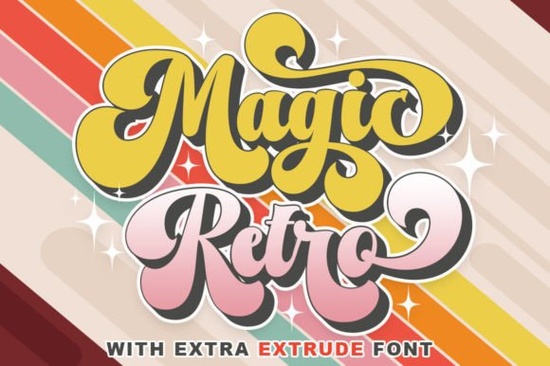
If you've been searching for a display typeface that brings warmth and personality to your projects, the Magic Retro Font is worth a closer look. It's a playfully nostalgic typeface designed to give any layout that unmistakable vintage charm. Whether you're designing a poster, a t-shirt graphic, or a social media post, this font delivers a retro feel without looking outdated.
What Makes Magic Retro Font Stand Out?
Plenty of retro fonts exist, but not all of them work well across different design contexts. Magic Retro strikes a balance between playful and polished. The letterforms have a rounded, slightly chunky quality that feels friendly and approachable perfect for designs that need to grab attention without being aggressive.
Here's what you get with this font:
- Display-friendly letterforms built for headlines, logos, and large text sizes
- Retro-inspired character shapes reminiscent of mid-century signage and vintage packaging
- Versatile style works for both casual and professional design projects
- Smooth curves and clean lines ensures readability even at smaller display sizes
For designers who already work with display fonts like Gilligan Karl, Magic Retro offers a different mood less quirky, more warmly nostalgic.
Who Is This Font Best For?
Magic Retro works well for a wide range of creative projects. Here are some people who tend to get the most out of it:
- Print-on-demand sellers Great for t-shirt designs, mug graphics, and tote bag artwork that needs a vintage vibe
- Small business owners Use it for logos, menus, packaging, or signage that wants to feel established and welcoming
- Crafters and hobbyists Perfect for scrapbooking, party invitations, greeting cards, and DIY printables
- Social media creators Eye-catching for Instagram stories, YouTube thumbnails, and Pinterest graphics
- Wedding and event designers Adds a nostalgic, romantic quality to stationery and event branding
If you've tried something bold like Cowboy Howdy for western-themed projects, Magic Retro gives you a softer alternative that still has plenty of character.
What Design Styles Pair Well With This Font?
Retro fonts work best when they're paired intentionally. Here are a few style directions where Magic Retro fits naturally:
- Mid-century modern Think 1950s diner menus, atomic-age patterns, and warm color palettes
- Vintage packaging Old-school product labels, apothecary-style branding, and general store aesthetics
- 70s-inspired graphics Earthy tones, groovy textures, and rounded shapes
- Retro gaming and pop culture Nostalgic arcade themes and throwback entertainment designs
You can also mix it with more modern display typefaces. For instance, stacking Magic Retro alongside a structured option like Stacked Remember creates an interesting contrast between playful and geometric.
How Does It Compare to Other Display Fonts?
It helps to see how Magic Retro stacks up against other options in the same category. If you prefer something with a darker, more dramatic edge, Death Star takes a completely different approach. And if you lean toward elegant, flowing scripts, the Aaksaraan Valeriana typeface goes in an entirely different direction.
Magic Retro sits in a sweet spot: it's fun without being childish, and retro without feeling dated. That makes it a practical addition to any designer's font library.
Where Can You Get Magic Retro Font?
You can find the Magic Retro Font on Creative Fabrica. The platform offers both individual font purchases and subscription plans, which can be a better deal if you regularly need new fonts, graphics, and design resources. You can learn more about Creative Fabrica and their licensing terms directly on their site.
Before purchasing, keep these points in mind:
- Check the license type make sure it covers your intended use (commercial projects, POD, etc.)
- Review the included characters look for alternates, ligatures, and multilingual support
- Test it at multiple sizes display fonts can look very different from preview to actual use
Quick Checklist Before You Buy
- ✅ Confirm the font includes all the glyphs you need
- ✅ Check that the license covers your specific project type
- ✅ Download and test in your actual design software
- ✅ Pair it with one or two complementary fonts before finalizing
- ✅ Save a few sample mockups to see how it performs in real layouts
Next step: Download a preview of Magic Retro, drop it into your current project file, and see how it looks with your existing color palette and layout. Sometimes the best way to know if a font works is to test it in context and this one just might be the missing piece your design needed.
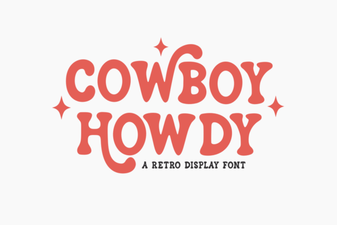 Cowboy Howdy Font: Rustic Western Style for Bold Designs
 Death Star Font: Bold Sci-Fi Display Typeface for Designers
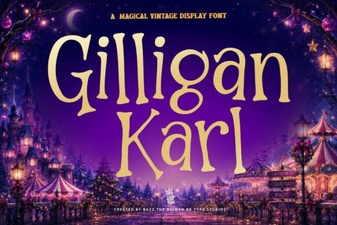 Gilligan Karl Font: a Stylish Typeface for Creative Projects
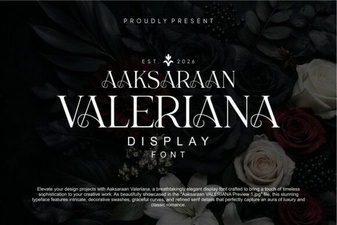 Aaksaraan Valeriana Font: Elegant & Creative Typography
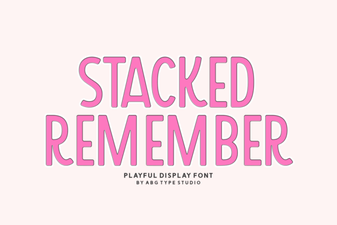 Stacked Remember Font: Bold Display Typeface for Designers
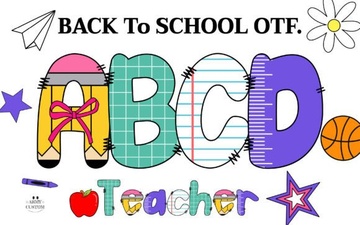 Back to School Army Font for Creative Education Projects