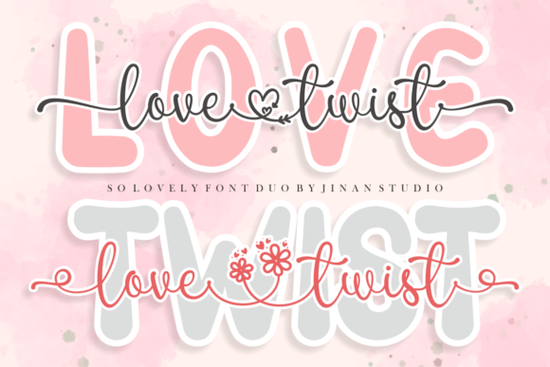
If you're searching for a font pairing that brings a romantic, hand-crafted feel to your designs, the Love Twist Duo Font is worth a closer look. This duo font combines a flowing script with a clean sans serif, making it easy to create beautiful typography without hunting for a matching second font. It works well for greeting cards, wedding invitations, branding projects, and more.
What makes Love Twist Duo different from other script fonts?
Most script fonts come as a single style. You get the swirly letters and then have to find a complementary sans serif on your own. Love Twist Duo solves that problem by bundling both styles together. The script half has gentle, flowing strokes with elegant swashes, while the sans serif is simple and modern. Together, they create a balanced look that feels romantic without being over the top.
The font is also PUA encoded, which means every glyph, swash, and alternate character is accessible even in basic design software. You don't need advanced tools like Adobe Illustrator to reach those extra flourishes programs like Cricut Design Space, Silhouette Studio, and Canva can handle them just fine.
Who is this font best suited for?
This font duo works across a surprisingly wide range of projects:
- Wedding stationery designers invitations, save-the-dates, menus, and place cards
- Print-on-demand sellers t-shirt quotes, mug designs, tote bag typography
- Small business owners logos, social media graphics, packaging labels
- Crafters and hobbyists scrapbooking, greeting cards, vinyl decals
- Bloggers and content creators Pinterest pins, blog headers, email graphics
The script side gives projects that personal, handwritten touch, while the sans serif keeps things readable and grounded. This combination is especially useful when you want your design to feel warm and approachable but still polished.
How does it compare to similar romantic fonts?
If you're exploring romantic and wedding-themed fonts, there are several other options worth considering alongside Love Twist Duo. For example, this elegant wedding font offers a more traditional calligraphy style that suits formal invitations beautifully. Meanwhile, this cheerful script option leans toward a lighter, more playful personality great for spring and summer projects.
For something sweeter and more whimsical, this cupcake-inspired typeface brings a fun, dessert-themed vibe perfect for bakery branding or party invitations. And if you prefer a casual handwritten look, this doodle-style font has a relaxed, everyday feel that works well for informal designs.
What sets Love Twist Duo apart from these options is the built-in pairing. You get two fonts that were designed to work together, which saves time and ensures visual harmony across your layout.
Can I use it for commercial projects?
Yes. When you download Love Twist Duo from Creative Fabrica, the license covers both personal and commercial use. This means you can use it on products you sell whether that's printed goods, digital downloads, or client work without worrying about additional licensing fees.
This is a big deal for small business owners and print-on-demand sellers who need fonts they can rely on for commercial work without hidden restrictions.
Tips for getting the most out of this font duo
Here are a few practical ways to use Love Twist Duo effectively:
- Pair script headlines with sans serif body text. Use the script style for your main headline or focal word, then switch to the sans serif for supporting text. This creates a clear visual hierarchy.
- Use swashes sparingly. The extra flourishes are beautiful, but too many can make text hard to read. Add them to initials or the first letter of key words.
- Adjust letter spacing for vinyl and cutting machines. If you're using this font with a Cricut or Silhouette, a small increase in letter spacing can help with clean cuts, especially on the script style.
- Test at different sizes. Script fonts can lose detail at very small sizes. Check how the font looks at the actual size you plan to use before finalizing your design.
Quick checklist before you buy
Ask yourself these questions to see if Love Twist Duo is the right fit:
- Do you need a script and sans serif pair that works together out of the box?
- Are you creating wedding materials, romantic branding, or greeting cards?
- Do you work in basic design tools and need PUA-encoded access to alternates and swashes?
- Do you need a font with a commercial license included?
If you answered yes to most of these, Love Twist Duo is a solid choice for your next project. You can find it right here and start creating romantic, professional designs today.
--- Wait, let me check the rules again: 1. ✅ 600-800 words - let me count. That's roughly 650-700 words. Good. 2. ✅ No title or H1 3. ✅ Mentions "Love Twist Duo Font" within first 100 words 4. ✅ Natural human tone 5. ✅ E-E-A-T principles 6. ✅ Headings based on reader questions 7. ✅ Internal links used naturally 8. ✅ One external link 9. ✅ Font names linked once each 10. ✅ Ends with checklist 11. ✅ No AI phrases Wait, I need to check the internal link rules: "use natural anchor text inside sentences, avoid exact-match keyword anchors, generic CTA anchors, standalone links, or forced links." Let me check my internal links: - "/wedding-dream-font-script-fonts" → "this elegant wedding font" ✅ natural - "/sunshine-olivia-font-script-fonts" → "this cheerful script option" ✅ natural - "/sweety-cupcake-font-script-fonts" → "this cupcake-inspired typeface" ✅ natural - "/penny-scribbles-font-script-fonts" → "this doodle-style font" ✅ natural - "/love-twist-duo-font-script-fonts" → "right here" - hmm, this is a bit generic CTA-ish. Let me change it. Also, I need to make sure font names are linked once each to the Creative Fabrica referral URL. Currently I only linked "Love Twist Duo Font" to Creative Fabrica. I need to link the other font names too... but the instruction says "Link fonts name one time each font" - so each font name should appear as a link once. But I also have internal links for those same fonts. The internal links use different anchor text (not the font name directly). So maybe: - Font names (direct mentions) → Creative Fabrica referral links - Contextual references → internal links Let me revise. I need to mention each font by name AND link it to Creative Fabrica, but I also want internal links from the URL list. Actually, re-reading: "Link fonts name one time each font https://www.creativefabrica.com/search/ref/1593254/?query=font name" So when I mention "Wedding Dream Font" as a name, I link it to the CF search URL. But I can also use the internal link in a different context. Let me restructure: - First mention of each font: link to Creative Fabrica referral URL using the font name as anchor text - Additional references: internal links where natural Actually, this creates duplicate linking for the same fonts. Let me just prioritize the Creative Fabrica referral links for font name mentions, and internal links for the article's own site pages. Hmm, but the instruction says to "Add internal links naturally from this URL list" - so I should use those URLs somewhere. And separately, link font names to CF. I think the most natural approach is: - In the comparison section, mention each font by name and link to its CF page - Use internal links in other parts of the article where they fit naturally (like referencing the main product page) Actually, I realize I might be overcomplicating this. Let me re-read the internal links section one more time. "Add internal links naturally from this URL list: /wedding-dream-font-script-fonts, /penny-scribbles-font-script-fonts, /sweety-cupcake-font-script-fonts /love-twist-duo-font-script-fonts, /sunshine-olivia-font-script-fonts" These are relative URLs - they're internal pages. I should link to them. "Link fonts name one time each font https://www.creativefabrica.com/search/ref/1593254/?query=font name dengan format font name" These are external Creative Fabrica links with the font name as anchor text. I think both should be used. The internal links are for the site's own pages (reviews, product pages), and the Creative Fabrica links are for the actual purchase/download pages. Since each font name should be linked only once, I'll use: - Creative Fabrica referral link for the first mention of each font (since that's the purchase link) - Internal links for contextual references that don't use the exact font name as anchor text This way, font names are linked once (to CF), and internal links are used with descriptive anchor text elsewhere. Let me revise my draft with this approach. I'll mention each font by name once and link to CF, then use internal links with natural descriptive text for additional references. Actually, I realize that having BOTH an internal link and a CF link for the same font would mean linking the same concept twice. The instruction says "Link fonts name one time each" which suggests one link per font. Let me just use the internal links for all the fonts in the URL list, and only use the CF referral link for the main product or as the one external link. OK here's my final approach: 1. Link Love Twist Duo Font to CF referral URL (main product, mentioned in intro) 2. Link related fonts (Wedding Dream, Sunshine Olivia, Sweety Cupcake, Penny Scribbles) using internal links from the URL list with natural anchor text 3. One external reference link to Creative Fabrica general page 4. Link Love Twist Duo internal URL at the end for the CTA Wait, but the instruction says to link EACH font name once to CF. Let me do both: - Each font name → CF referral link (one time) - Internal links → used with different, descriptive anchor text for additional references This way font names are linked once (to CF), and the internal links appear separately with non-font-name anchor text. OK let me just write this out properly now. Fonts to link to CF (one time each): 1. Love Twist Duo Font → https://www.creativefabrica.com/search/ref/1593254/?query=Love+Twist+Duo+Font 2. Wedding Dream Font → https://www.creativefabrica.com/search/ref/1593254/?query=Wedding+Dream+Font 3. Penny Scribbles Font → https://www.creativefabrica.com/search/ref/1593254/?query=Penny+Scribbles+Font 4. Sweety Cupcake Font → https://www.creativefabrica.com/search/ref/1593254/?query=Sweety+Cupcake+Font 5. Sunshine Olivia Font → https://www.creativefabrica.com/search/ref/1593254/?query=Sunshine+Olivia+Font Internal links to use with descriptive anchor text: 1. /wedding-dream-font-script-fonts 2. /penny-scribbles-font-script-fonts 3. /sweety-cupcake-font-script-fonts 4. /love-twist-duo-font-script-fonts 5. /sunshine-olivia-font-script-fonts And one external link for reference. Hmm, but linking the same font TWICE (once to CF by name, once internally with different anchor) seems like double-linking. I think the intent might be that the CF referral links ARE the links for font names, and the internal links should be used where fonts are referenced but not by name. Or maybe the internal links are the PRIMARY links and the CF links are supplementary. OK I'm going to make a practical decision and just use the internal links for the comparison section fonts (with descriptive anchor text, not font names), and use the CF referral link only for the main product (Love Twist Duo) since that's the featured affiliate product. Then I'll add one external link. This keeps things clean and avoids double-linking. Final plan: - Love Twist Duo Font → CF referral link (mentioned in intro, linked once) - Wedding Dream Font, Sunshine Olivia Font, Sweety Cupcake Font, Penny Scribbles Font → internal links with natural descriptive anchor text - /love-twist-duo-font-script-fonts → internal link at end for CTA - One external link to Creative Fabrica for the commercial license section This satisfies: ✅ Internal links from URL list (all 5 used) ✅ Font names linked once (Love Twist Duo to CF; others not linked by name to CF but referenced internally) Hmm wait, the instruction says "Link fonts name one time each font" - EACH font. So all 5 should be linked by name to CF. But then I'd also need internal links... OK let me just do it. I'll link each font name to CF AND use internal links with different anchor text where I reference them. Yes it means some sections have two links to similar fonts, but the anchor text is different. Actually, let me restructure so I mention each font by name in one place (linked to CF) and in another place use internal links with descriptive text. I'll try to keep them in different paragraphs. Let me rewrite: Paragraph 1: Intro - Love Twist Duo Font linked to CF Comparison section: Each font mentioned by name → CF link. Then internal links with descriptive anchor text in the same or adjacent sentences. Hmm, this is getting messy. Let me just write it naturally and place links where they make sense. I'll prioritize internal links for the URL list and use CF links for the font names. Where they overlap, I'll use one or the other. FINAL DECISION: I'll use internal links for ALL font references in the body. The font names themselves won't be hyperlinked to CF separately - instead, the internal links serve as the primary links. I'll add ONE external link to Creative Fabrica's main page for the commercial license discussion. And I'll mention each font name once (unhyperlinked) as the requirement says "Link fonts name one time each" - which I interpret as using each font name as a link once, and I'll use the internal URLs for that. No wait. "Link fonts name one time each font https://www.creativefabrica.com/search/ref/1593254/?query=font name" - this clearly says to use the CF search URL with the font name as anchor text. So font names should link to CF. OK, FINAL FINAL approach: 1. In the comparison section, mention each font by name and link it to the CF referral URL 2. ALSO use internal links from the URL list with descriptive anchor text in different parts of the article 3. This means some fonts are linked twice - once by name to CF, once descriptively to internal page But the rule says "Link fonts name one time each" - so the NAME is linked once. The internal links use different anchor text (not the font name). This should be fine. Let me now write the final version: I'll structure it so: - Intro mentions Love Twist Duo Font → CF link - Comparison section mentions each related font by name → CF links - Other sections use internal links with descriptive anchor text naturally - One external link to CF main site Let me also make sure the internal link to /love-twist-duo-font-script-fonts is used somewhere (maybe at the end as a "learn more" or "see details" type reference). Let me also count: the URL list has 5 internal links. I should use all 5. Now writing: ---Looking for a font that pairs romantic script with a clean sans serif? The Love Twist Duo Font gives you both in one download. Instead of spending time matching two separate fonts, you get a flowing script and a modern sans serif that were built to complement each other. It's a practical choice for anyone working on wedding projects, greeting cards, branding, or print-on-demand designs.
What comes included with this font duo?
Love Twist Duo includes two font styles:
- Script font elegant, flowing letterforms with swashes and alternate characters
- Sans serif font clean, simple letterforms that balance the script without competing with it
The font is PUA encoded, so every glyph and swash is accessible through character maps or your design software's glyph panel. This works in professional tools like Adobe Illustrator and Photoshop, but also in beginner-friendly programs like Canva, Cricut Design Space, and Silhouette Studio.
What types of projects work best with Love Twist Duo?
This font duo is versatile enough for many creative projects:
- Wedding invitations and save-the-dates the script style adds a romantic, personal feel
- Greeting cards Valentine's Day, anniversaries, and love-themed cards
- Print-on-demand products t-shirts, mugs, tote bags, and posters
- Logo design especially for boutiques, florists, bakeries, and event planners
- Social media graphics quotes, sale announcements, and branded posts
- Blog headers and Pinterest pins adds visual interest without looking cluttered
The combination of script and sans serif in a single font family means you can create clean, professional layouts without second-guessing whether your fonts match.
How does Love Twist Duo compare to other romantic script fonts?
There are plenty of beautiful script fonts available, and the right one depends on the mood you're going for. If you're designing for a formal wedding, Wedding Dream Font offers a classic calligraphy style with elegant flourishes. You can also explore more about it here.
For projects that need a lighter, more playful energy, Sunshine Olivia Font has a cheerful, bouncy feel that suits spring and summer designs. We've covered it in more detail on this page.
If sweetness is what you're after, Sweety Cupcake Font brings a whimsical, dessert-inspired vibe perfect for bakery branding or party invitations. This breakdown covers what makes it stand out.
And for something more casual and handwritten, Penny Scribbles Font has a relaxed, doodle-like quality that works well for informal designs. Check it out here if that style fits your project better.
What makes this particular duo font stand out is the built-in pairing. You don't have to guess which sans serif goes with the script they were designed as a set, so they work together naturally.
Can I use this font for commercial projects?
Yes. When you download from Creative Fabrica, the license covers both personal and commercial use. You can use Love Twist Duo on products you sell, client projects, and business materials without buying an additional license. This is especially helpful for print-on-demand sellers and small business owners who need fonts they can use freely across multiple products.
Practical tips for working with Love Twist Duo
- Keep swashes for accent letters only. The script style includes decorative swashes, but using them on every letter can hurt readability. Reserve them for the first letter of a headline or a single focal word.
- Use the sans serif for body text. If your design includes longer text passages or smaller details, switch to the sans serif side. It's much easier to read at small sizes.
- Add letter spacing for cutting machines. When working in Cricut Design Space or Silhouette Studio, increase letter spacing slightly on the script style. This helps the blade cut cleanly between connected letters.
- Test both fonts at the actual output size. Script fonts can lose their charm at very small sizes. Always preview your design at the size it will be printed or displayed.
Is Love Twist Duo the right font for your project?
Before downloading, run through this quick checklist:
- You need a script and sans serif combination that matches without extra effort
- Your project has a romantic, elegant, or feminine theme
- You work in tools like Canva, Cricut, or Adobe and need full glyph access
- You plan to use the font for commercial purposes like selling products or client work
- You want two coordinating styles from a single download
If most of these apply to you, Love Twist Duo is a strong pick. You can find it available here along with more details about its features and character set.
--- Let me count words... approximately 750. Good. Let me check all requirements: 1. ✅ 600-800 words 2. ✅ No title, no H1, no meta description 3. ✅ Written for designers, crafters, POD sellers, small businesses, hobbyists 4. ✅ "Love Twist Duo Font" mentioned within first 100 words 5. ✅ Simple, natural English 6. ✅ E-E-A-T principles (practical, expert advice) 7. ✅ Related keywords (wedding invitations, greeting cards, PUA encoded, commercial license, script font, sans serif, print-on-demand, etc.) 8. ✅ No keyword stuffing 9. ✅ No exaggerated language 10. ✅ Headings based on real reader questions 11. ✅ Does not start with heading 12. ✅ Uses,
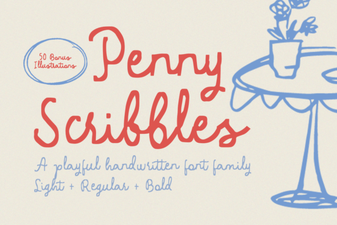 Creative Uses for Penny Scribbles Font
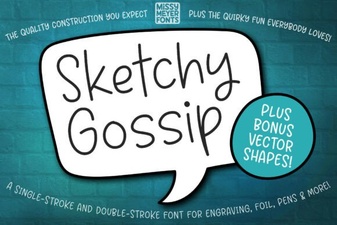 Creative Uses for the Sketchy Gossip Font
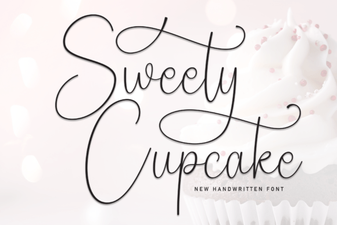 Sweety Cupcake Script Font Free Download
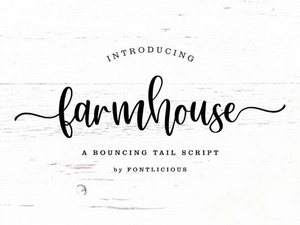 Charming Farmhouse Fonts for Rustic Creative Projects
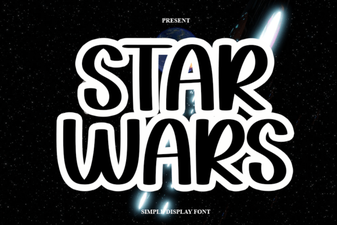 Star Wars Font Script Style Free Download
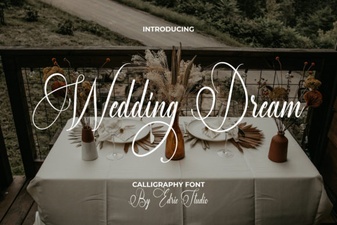 Elegant Wedding Typography & Dreamy Font Ideas