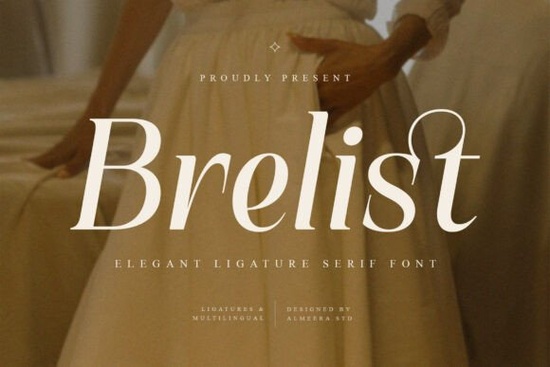
The Brelist Font is an elegant ligature serif typeface built for designers who want their text to feel polished, refined, and visually distinctive. With graceful curves, well-crafted ligatures, and multilingual support, it works beautifully across branding, editorial design, packaging, and premium print materials. If you've been searching for a serif font that balances modern aesthetics with timeless charm, this one is worth a close look.
What Makes a Ligature Serif Font Different from a Regular Serif?
Ligatures are special letter combinations where two or more characters are joined into a single, more fluid shape. Think of common pairs like "fi," "fl," or "ff." In a standard serif font, these pairs can sometimes look clunky or create awkward spacing. A ligature serif font like Brelist solves that by replacing those combinations with custom-drawn alternates that flow naturally.
The result is cleaner text, better rhythm, and a more refined overall appearance. For projects where typography is front and center like logo design, wedding invitations, magazine covers, or website headers ligatures make a noticeable difference.
What Design Projects Is Brelist Best For?
Brelist is designed primarily for display and headline use, where its high-contrast letterforms and elegant proportions can really shine. Here are some practical uses:
- Brand identity and logo design The sophisticated character shapes give logos a premium, established feel.
- Editorial layouts Magazine covers, article headers, and book chapter titles benefit from its refined presence.
- Packaging design Products that want to communicate quality and elegance (think cosmetics, wine, artisan goods) pair well with this style.
- Invitations and stationery Wedding invites, event programs, and thank-you cards look polished with a serif like this.
- Social media graphics Bold, elegant typefaces grab attention in fast-scrolling feeds.
- Website hero sections Large headline text set in Brelist creates an immediate impression of quality.
If you're building a mood board and exploring similar options, you might also want to compare it with a modern serif with elegant styling or a graceful serif alternative to see which personality fits your project best.
What File Formats and Features Does It Include?
Brelist comes in both OTF and TTF formats, which means it works across most design software Adobe Illustrator, Photoshop, Canva, Affinity Designer, Procreate, and others.
Here's a quick breakdown of what's included:
- Full uppercase and lowercase character sets
- Ligatures and stylistic alternates for customized letter combinations
- Multilingual support for international projects
- Punctuation and numerals
- High-contrast elegant serif letterforms optimized for large headlines and display text
For designers working on editorial projects with a classic-modern feel, fonts in this category like a vogue-inspired serif or an editorial-style typeface offer a similar design direction with their own unique details.
Does Brelist Support Multiple Languages?
Yes. Brelist includes multilingual character support, which means you can set text in languages that use accented characters, diacritical marks, and extended Latin scripts. This is especially useful if you're designing for an international audience or working with clients who need branding materials in more than one language.
Always test specific characters in your design software before finalizing a layout, just to confirm everything renders the way you expect.
How Does Brelist Compare to Other Elegant Serif Fonts?
Every serif font carries its own personality. Some lean editorial and structured, others feel romantic and flowing. Brelist sits in a space that feels sophisticated but approachable its ligatures add visual interest without being overly decorative, and its proportions stay balanced even at large sizes.
If you're exploring different serif styles for a project, it helps to line up a few options side by side. You can browse the full Brelist font details page or search for similar serif fonts like Vogue Font on Creative Fabrica to compare styles, features, and pricing before committing.
Quick Checklist Before You Buy
- Check the license Make sure it covers your intended use (commercial projects, POD products, client work, etc.).
- Test ligatures and alternates Open the font in your design tool and explore the OpenType features.
- Pair it wisely Combine Brelist with a clean sans-serif for body text to create visual contrast and readability.
- Preview at your target size This font is built for headlines and display text, so make sure it works at the scale you need.
- Save both file formats Keep OTF and TTF versions handy for compatibility across different platforms and software.
Tip: If you're building a type system for a brand, try pairing Brelist with a softer serif option for subheadings or secondary text. Having two complementary serifs in your toolkit gives you more flexibility without sacrificing visual consistency.
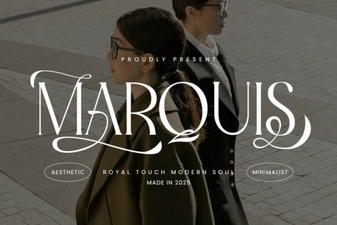 Marquis: a Modern Serif Font for Elegant Design Projects
 Healing Font – Elegant Serif Typeface for Timeless Design
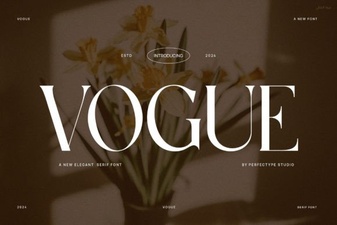 Vogue Font: Elegant Typography for Modern Designs
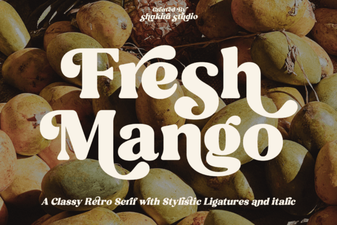 Fresh Mango Font: Vibrant Typography for Creative Projects
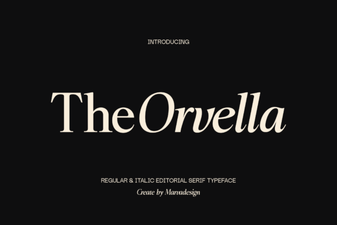 Orvella Font: Elegant Typeface for Creative Design Projects
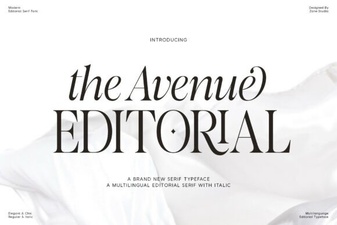 The Avenue Editorial Font – Elegant Serif Typeface for Modern Design